How Does the Taco Bell Drive-Thru Timer Actually Work?
When you work at Taco Bell, your entire existence during a shift is governed by a digital screen mounted above the drive-thru window. The numbers on that screen are either bright green or glaring red, and the difference between those two colors determines whether your shift lead is calm or screaming at the makeline to move faster.
This is the Drive-Thru Timer—officially called the OTD or “Order-to-Delivery” system. Fast food is a game of seconds, and franchise owners live and die by these numbers. I have watched Area Managers walk into a store, glance at the timer screen for three seconds, and immediately start making phone calls. Here is exactly how the system works, why it matters more than almost any other metric in the building, and how experienced crews bend the rules to keep those numbers green.
The Sensors and the Zones
Russell’s Note: The Sysco truck being late will ruin a prep shift faster than anything else. You learn to pivot immediately or the lunch rush will crush you.
Russell’s Note: People always ask why this tastes different at home. Simple. We aren’t afraid of butter, salt, and keeping the flat top screaming hot.
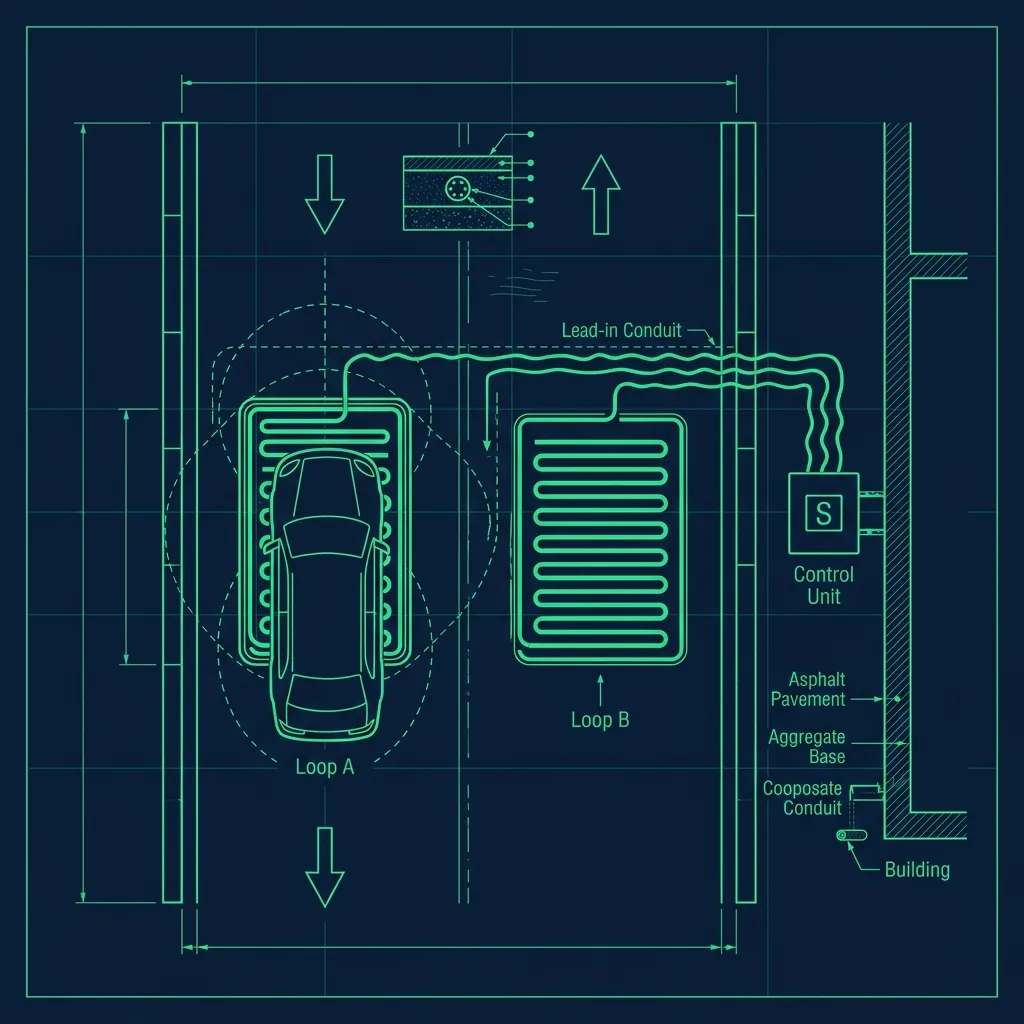
The timer is not a single stopwatch. It is a multi-zone tracking system powered by magnetic induction loops—sensors physically buried under the asphalt in the drive-thru lane. When a car’s metal frame passes over these loops, the sensor registers the vehicle’s presence and triggers the timer for that zone.
There are typically three zones being tracked:
- Menu Board Time: The timer starts the millisecond a car’s tires roll over the sensor at the speaker box. This tracks how long the customer takes to order and how long the order taker takes to confirm it.
- Window Time: When the car pulls up to the physical window, a second sensor triggers. This tracks how long it takes the cashier to collect payment, hand out the food, and clear the car.
- Total OTD (Order-to-Delivery): The combined time from when the car hit the speaker to when it pulled away from the window. This is the number that shows up on corporate reports.
Each zone feeds data to a centralized system that the franchise owner and Area Manager can access remotely—on their phone, from home, at 11 PM on a Tuesday. They do not need to be standing in the restaurant to know how the store is performing. When the numbers trend upward, the phone calls start coming in fast. I have received calls from franchise owners at 12:15 PM asking why the lunch rush OTD was averaging 95 seconds. They are watching in real time.
The 50-Second Goal (And Why It Is Not Arbitrary)
At Taco Bell, the corporate benchmark for Window Time is typically under 50 seconds, though this can tighten to 40 seconds during peak lunch hours depending on the franchise.
If the timer stays under 50 seconds, the screen stays green. The moment it hits 51, the screen turns red. When a shift lead sees too much red, the pressure rolls downhill immediately—they start calling out to the makeline, the expeditor starts moving faster, and the tension in the kitchen ratchets up noticeably.
This target is not arbitrary. Corporate calculates it based on the maximum throughput of a single drive-thru lane. If every car takes 50 seconds at the window, the store can theoretically serve about 72 cars per hour. If the average creeps to 90 seconds, throughput drops to 40 cars per hour—nearly half the revenue capacity during peak hours. That math is why managers treat the timer like the most important number in the building. Because for the franchise owner’s bottom line, it literally is.
How Crews “Hack” the Timer
Because Area Managers often bonus off of good drive-thru times, experienced crews use several strategies to keep the numbers looking clean:
- The Stall: If the food is not ready when a car reaches the speaker, the order taker tells the customer, “Please wait a moment before pulling forward.” This burns time at the menu board sensor—which matters less to corporate—instead of at the window sensor, which is the number everyone scrutinizes.
- The Pull Forward: If a car orders 30 tacos or a massive catering-style order, the manager has the car pull past the window sensor and park in the lot. This stops the window timer. A runner walks the food out once it is ready. The timer stays green, and the car behind them can pull up without waiting.
- Pre-Staging: As soon as the order taker confirms the order on the headset, they shout the key items to the makeline before the car even reaches the window. The makeline starts building immediately. In a well-drilled store, the food is bagged and sitting on the window ledge before the customer arrives. The cashier opens the window, takes payment, hands over the bag, and the car is gone in under 30 seconds. This is the gold standard.
Then there are the problems nobody can control. Ghost cars happen when a sensor malfunctions and registers a vehicle sitting at the window when there is not one there—ruining the store’s average for the entire day. Managers have to call tech support to recalibrate the induction loops, and it can take days to get a technician out.
The Daily Report and the Area Manager Visit
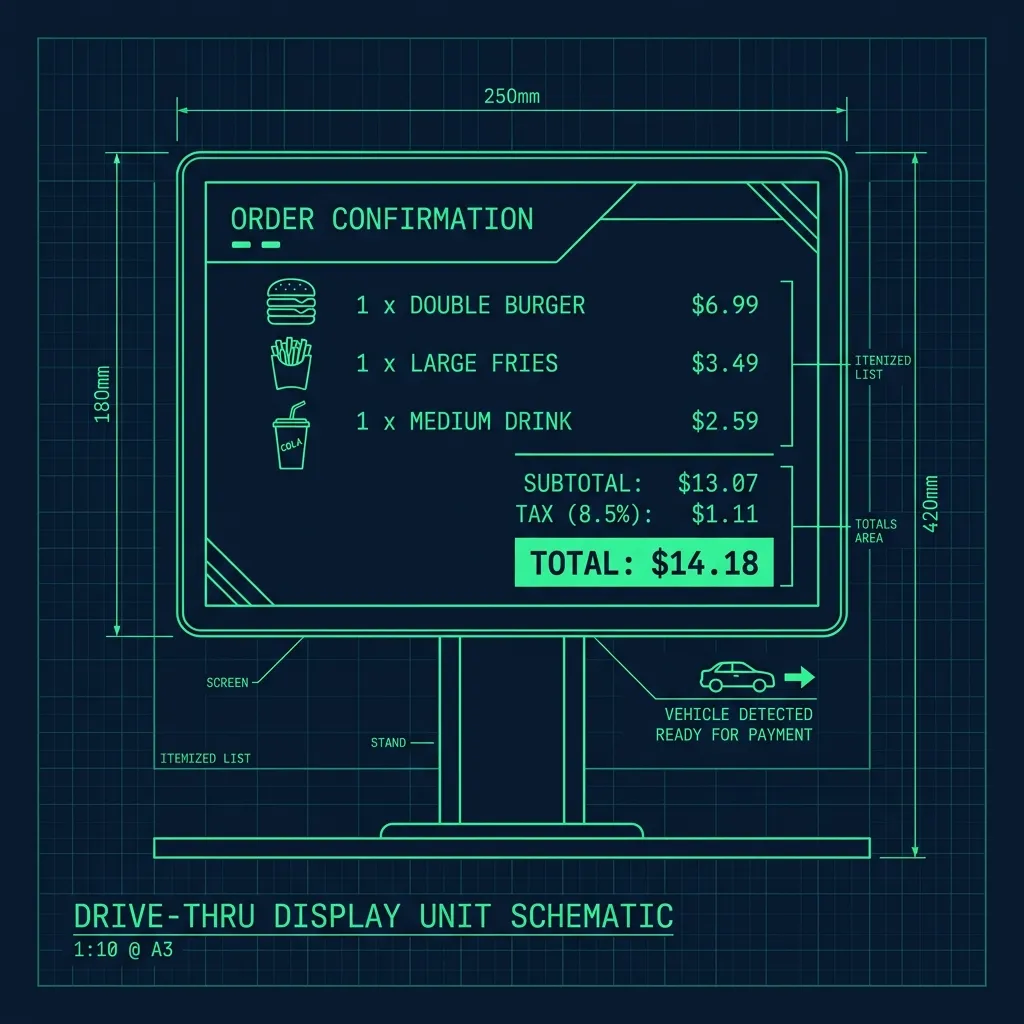
Every morning, the General Manager reviews the previous day’s drive-thru report. This report breaks down the average OTD time by hour, identifies the slowest and fastest periods, and flags any individual transactions that exceeded a threshold—usually anything over 3 minutes gets called out specifically.
When the Area Manager visits—typically once a week or biweekly—drive-thru times are the first metric they review. Consistently poor times can result in the GM being put on a Performance Improvement Plan. Consistently excellent times earn the store bonuses, recognition, and favorable scheduling from the franchise. The pressure flows downhill in a perfectly predictable cascade: franchise owner to Area Manager to GM to shift lead to the crew members on the line who are actually building the food.
Pro Tips for Keeping the Timer Green
- Pre-bag condiments and napkins. The moment the order appears on the screen, drop napkins, sauce packets, and cold items like drinks into the bag. When the hot food comes off the line, it goes straight in and out the window. Do not wait for the food to be ready before you start assembling.
- Communicate with the order taker. If the makeline is buried and the next car has a massive order, the order taker can buy the team time by reading the order back slowly or confirming details—keeping the car at the speaker a few extra seconds while the line catches up.
- Know the park threshold. Talk to your shift lead about which order sizes automatically get pulled forward. Most stores have an informal rule: anything over $30 or more than 10 items gets parked. Knowing this in advance means you do not wait for the manager to make the call—you just tell the customer to pull forward proactively.
Frequently Asked Questions
Do customers know they are being timed?
Most customers have no idea. The timer system is entirely internal—there are no visible clocks or countdowns on the customer side. However, if a customer takes an unusually long time at the speaker, the order taker may gently prompt them with “Are you ready to order?” to keep the menu board time from spiraling.
What happens if the sensors malfunction?
The store contacts their drive-thru technology vendor to send a technician. In the meantime, the manager may manually track times with a stopwatch, but those manual times do not upload to the corporate reporting system. A prolonged sensor outage results in incomplete weekly data, and the Area Manager will want a detailed explanation for the gap.
Can employees get in trouble for “hacking” the timer?
Practices like pulling cars forward are considered acceptable operational strategies by most franchise owners because they genuinely improve customer flow. However, if a store gets caught using egregious tricks—like having customers pull around the building and re-enter the drive-thru to split one long transaction into two short ones—it can result in disciplinary action and loss of credibility with the franchise group.
For more Taco Bell operations, check out our guides on the Taco Bell Linebacker role, how to memorize the menu build cards, and how Taco Bell rehydrates their beans.